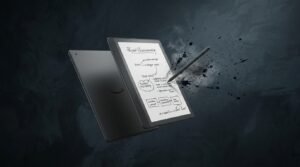
Kindle Scribe 64GB for Work: A Practical Digital Tool for Notes and Documents
Kindle Scribe 64GB for Work: A Practical Digital Tool for Notes and Documents
Modern work often involves reading documents, writing down ideas, reviewing information, and keeping track of small details throughout the day. While computers and tablets are useful for many of these tasks, some people prefer a simpler device when their main activities involve reading and writing. The Kindle Scribe 64GB offers an interesting combination of a large e-ink display, digital writing capabilities, and substantial storage for people who want a more focused workspace.
The idea behind Kindle Scribe is relatively straightforward: provide a comfortable digital reading experience while also giving users a place to write. This combination can be useful in a professional environment where reading documents and taking notes are part of the same workflow. Instead of reaching for a separate notebook every time an idea comes to mind, users can create digital notes directly on the device.
Reading Documents During the Workday
Many professionals spend a significant amount of time reading. Reports, reference documents, ebooks, manuals, and other digital material can quickly accumulate. The larger display of the Kindle Scribe 64GB provides more screen space for viewing content than smaller e-readers.
A spacious display can be especially convenient when reviewing documents that have a more complex page layout. It gives the content more room on the screen and can make the overall reading experience feel closer to working with a physical document.
Taking Notes Without a Separate Notebook
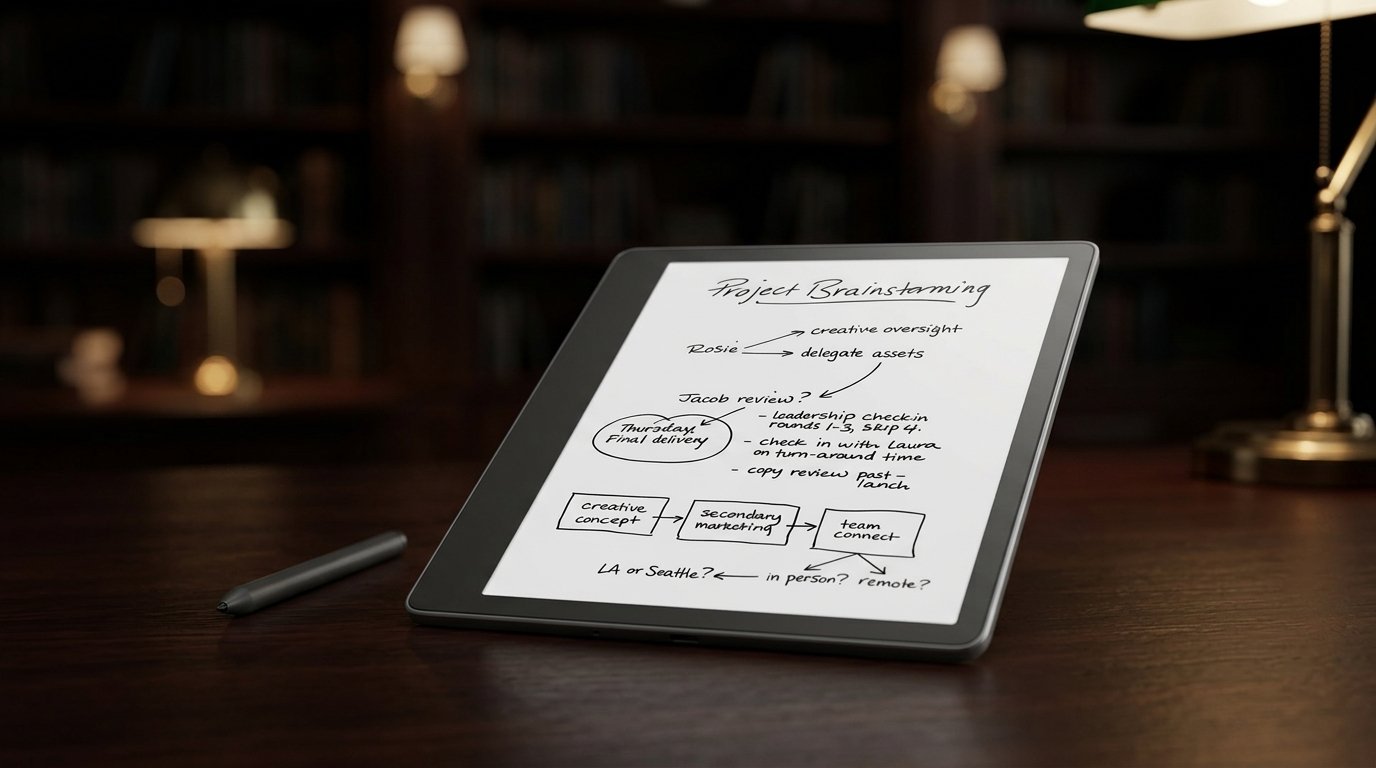
One of the most interesting aspects of Kindle Scribe for work is its digital writing capability. Professionals can use digital notebooks to capture ideas, reminders, meeting points, project thoughts, or personal observations.
For example, someone reviewing a business book might want to write down several ideas for a future project. Another person could use a notebook to create a daily task list or organize thoughts before a meeting. These simple uses can make the device more than just an ebook reader.
Keeping Work Notes Organized
Physical notebooks can become difficult to manage when notes from different projects are mixed together. Digital notebooks provide another way to separate information. Users can create different notebooks based on their needs, such as project planning, reading notes, personal ideas, or meeting preparation.
This approach can be particularly useful for people who frequently switch between different types of work. Instead of carrying several notebooks, they can keep various sets of notes digitally and access them from the same device.
The Advantage of 64GB Storage
The Kindle Scribe 64GB is also worth considering for users who expect to maintain a larger digital library. Storage requirements will vary depending on the type of content a person keeps, but having more capacity provides flexibility for ebooks, documents, and notebooks.
A professional who regularly reads digital books and stores many documents may appreciate having additional space available. It also gives users more freedom to keep older content rather than constantly removing files to make room for new ones.
A Focused Alternative to a Tablet
Tablets are capable of doing almost everything, from browsing the web to running productivity applications and watching videos. That flexibility is useful, but it can also create distractions. A dedicated reading and writing device takes a different approach.
The Kindle Scribe 64GB is primarily centered around reading and writing. For someone who wants to sit down and concentrate on a document or book without the constant presence of unrelated apps, this focused experience can be appealing.
Useful for Planning and Brainstorming
Not every work task involves a formal document. Sometimes the most useful notes are quick thoughts written down before they disappear. Kindle Scribe can serve as a digital space for brainstorming, planning, and capturing ideas.
A person starting a new project could create a notebook and write down initial concepts, questions, priorities, and reminders. Later, those notes can serve as a reference when the project becomes more developed. This simple workflow can be helpful for people who naturally think better when they write things down.
Who Should Consider Kindle Scribe 64GB?
The Kindle Scribe 64GB may be suitable for professionals who spend considerable time reading and taking notes. Writers, researchers, consultants, managers, students, and other information-heavy users may find the combination of reading and writing particularly useful.
However, it should not be viewed as a complete replacement for a computer. People who need advanced spreadsheets, specialized software, extensive web browsing, or complex editing will still benefit from having a traditional computer or tablet. Kindle Scribe works better as a focused companion for reading and writing.
Things to Think About Before Buying
Before choosing the 64GB version, consider how much digital content you expect to store. If you mainly read a few ebooks and keep only occasional notes, a smaller capacity may be sufficient. If you regularly maintain a large library of documents, books, and digital notebooks, additional storage can be more practical.
It is also worth considering whether you actually prefer writing with a digital pen. Some people enjoy handwriting digitally, while others still prefer traditional paper. Understanding your own habits is more important than simply choosing a device based on its specifications.
Final Thoughts
The Kindle Scribe 64GB offers a practical combination of digital reading and writing for people who want a focused device for work-related tasks. Its larger display provides plenty of space for reading, while digital notebooks can be used for ideas, lists, planning, and personal notes.
With its generous storage capacity, it can also accommodate a growing collection of ebooks and documents. It may not replace a computer or tablet for every professional task, but for reading-heavy and note-taking workflows, Kindle Scribe 64GB can provide a convenient and organized digital workspace.