How to Use ChatGPT for Personal Productivity and Better Daily Planning
Staying productive is not always about working harder. Sometimes the biggest improvement comes from having a clearer idea of what needs to be done, what should come first, and how to divide a large task into smaller steps. ChatGPT can be useful as a personal planning assistant because it can help organize ideas, create lists, brainstorm possible approaches, and turn a collection of tasks into a more understandable plan.
For people who are new to artificial intelligence, using ChatGPT for productivity can be a simple way to discover how conversational AI works in everyday situations. You do not need to understand complicated technical concepts. Instead, you can start with something familiar, such as a long to-do list or an upcoming project, and ask the AI to help organize the information.
Start With a Simple To-Do List
A long list of unfinished tasks can make a day feel more complicated than it needs to be. One practical way to use ChatGPT is to provide your list and ask for help grouping the tasks into categories or priorities.
For example, you might have several work responsibilities, household tasks, personal errands, and long-term projects. Rather than looking at everything as one large list, you can ask ChatGPT to organize the items into logical groups. You can then review the result and decide which tasks genuinely deserve your attention first.
Break Large Projects Into Smaller Steps
Large projects can sometimes feel difficult simply because the final goal seems too far away. Breaking a project into smaller actions can make it easier to understand where to begin.
You can describe the project to ChatGPT and ask for a list of possible steps. The response can serve as a starting framework. You can remove unnecessary steps, add missing ones, and rearrange the order according to your actual situation.
This approach is especially useful when you know what you want to accomplish but are unsure how to structure the process. The AI does not need to make the final decision. Its role can simply be to help you see the project from a more organized perspective.
Create a Daily Plan
Some people prefer starting each morning with a simple plan. ChatGPT can help turn a list of responsibilities into a suggested daily schedule if you provide information about your available time and priorities.
For example, you could explain which tasks are urgent, which ones are flexible, and how much time you expect each activity to require. The AI can then suggest a possible order. You can adjust the plan whenever your circumstances change.
A daily plan should remain realistic. Trying to fill every minute with tasks can make a schedule difficult to follow. Leaving some flexibility can be just as important as having a clear list of priorities.
Prioritize What Matters Most
Not every task has the same level of importance. When everything appears urgent, it can be difficult to decide where to start. ChatGPT can help you look at a list from different perspectives and suggest ways to categorize the items.
You might ask the AI to separate tasks into categories such as urgent, important, optional, and later. These categories are only suggestions, so you should review them carefully. A task that appears less important to an AI may actually be a high priority in your real circumstances.
Use AI for Brainstorming
Productivity is not only about completing tasks. It also involves finding better ways to approach problems. ChatGPT can be useful when you need several possible approaches before choosing one.
For example, if you are trying to organize a personal project, you can ask for different ways to structure the work. If you are preparing an event, you can ask for a checklist of things to consider. The goal is not to accept every suggestion but to use the conversation as a source of possibilities.
Create Reusable Checklists
Some tasks happen repeatedly. Preparing for a trip, organizing a weekly routine, getting ready for a meeting, or reviewing a project can involve many of the same steps each time.
ChatGPT can help turn these recurring activities into reusable checklists. Once you have a basic checklist, you can edit it to match your preferences and use it as a reference whenever the same type of task comes around again.
This can reduce the mental effort involved in remembering every small detail. Instead of rebuilding the list from scratch, you have a basic framework that can be updated when necessary.
Organize Ideas Before Starting Work
Sometimes productivity problems happen because there are too many ideas competing for attention. Writing them all down can be a useful first step.
You can give ChatGPT a collection of thoughts and ask it to organize them into themes or categories. For example, a content creator might have dozens of possible topics and ask the AI to group them into related themes. A business owner might have several project ideas and want to separate short-term tasks from long-term possibilities.
After seeing the organized version, you can decide which ideas deserve further attention.
Use ChatGPT to Prepare for a Busy Week
Weekly planning can be another practical use. At the beginning of the week, you could provide a list of known commitments and tasks and ask ChatGPT to help create a general plan.
You can mention fixed appointments, deadlines, personal activities, and flexible tasks. The AI can then suggest an order for the flexible items while leaving the fixed commitments in place.
It is important to check the final plan against your real calendar and responsibilities. An AI-generated schedule is a planning aid, not a replacement for your own calendar or judgment.
Improve the Way You Ask Questions
One of the most useful skills when working with ChatGPT is learning how to provide context. A request such as “help me become productive” is broad and could lead to a generic response.
A more specific request might explain what you are working on, how much time you have, what obstacles you are facing, and what kind of result you want. This gives the AI more useful information and can make the conversation easier to refine.
Keep Your Productivity System Flexible
There is no single productivity method that works perfectly for everyone. Some people enjoy detailed schedules, while others prefer a short list of priorities. Some like working in focused blocks, while others need flexibility throughout the day.
ChatGPT can help you experiment with different structures. You can ask for several approaches and compare them. If one system feels too complicated, simplify it. The goal is to create something you can realistically maintain rather than building a complicated system that becomes another source of work.
Review AI Suggestions Carefully
ChatGPT can generate organized plans quickly, but an organized response is not necessarily the perfect plan for your circumstances. The AI does not automatically know every detail of your responsibilities, energy levels, deadlines, or personal preferences.
Review every suggestion and make changes where necessary. When a task involves important professional, financial, legal, medical, or other high-impact decisions, use appropriate expert or authoritative sources rather than relying solely on an AI response.
How a Practical ChatGPT Guide Can Help Beginners
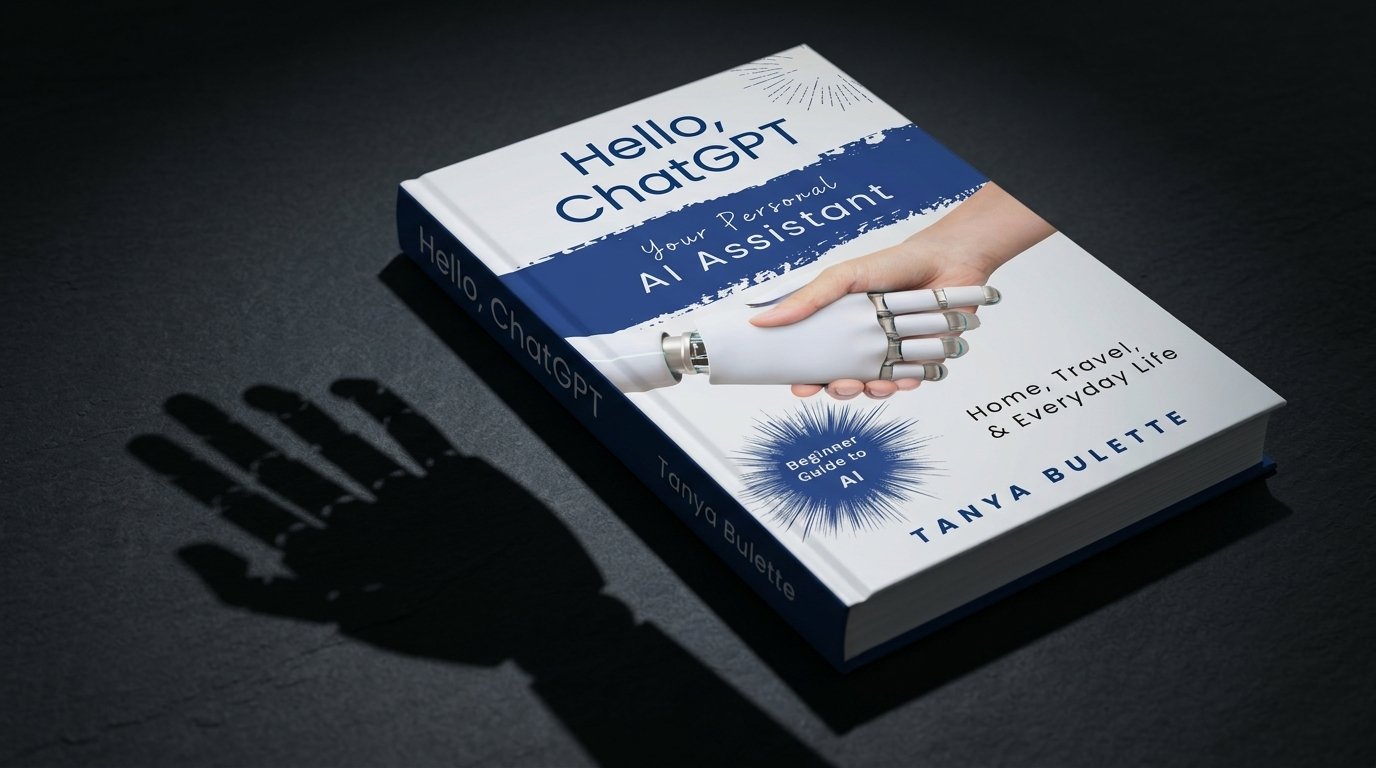
A beginner-friendly resource such as Hello, ChatGPT: Your Personal AI Assistant for Home, Travel, and Everyday Life can introduce readers to the idea of using conversational AI for ordinary activities. Productivity is a natural example because many productivity challenges involve organizing information, creating lists, brainstorming options, and planning next steps.
Instead of trying to learn every possible ChatGPT feature at once, beginners can start with one task that they already understand. This makes it easier to see where AI assistance is genuinely useful and where human judgment is still necessary.
Final Thoughts
ChatGPT can be a useful addition to a personal productivity routine when it is treated as an assistant rather than a decision-maker. It can help organize to-do lists, break projects into smaller steps, create checklists, brainstorm ideas, and develop preliminary daily or weekly plans.
The most effective approach is to provide clear context and then evaluate the response critically. You can modify the suggestions, remove anything unnecessary, and adapt the final plan to your actual schedule. There is no need to follow an AI-generated productivity system exactly as written.
For beginners, experimenting with small tasks is often the easiest way to understand the technology. Start with a simple list, ask ChatGPT to organize it, review the result, and make it your own. Over time, this can help you discover practical ways to use AI for planning without allowing technology to take control of decisions that require your personal judgment.

 Staying productive is not always about working harder. Sometimes the biggest improvement comes from having a clearer idea of what needs to be done, what should come first, and how to divide a large task into smaller steps. ChatGPT can be useful as a personal planning assistant because it can help organize ideas, create lists, brainstorm possible approaches, and turn a collection of tasks into a more understandable plan.